How to receive notifications on iOS from the web version of the mobile app?
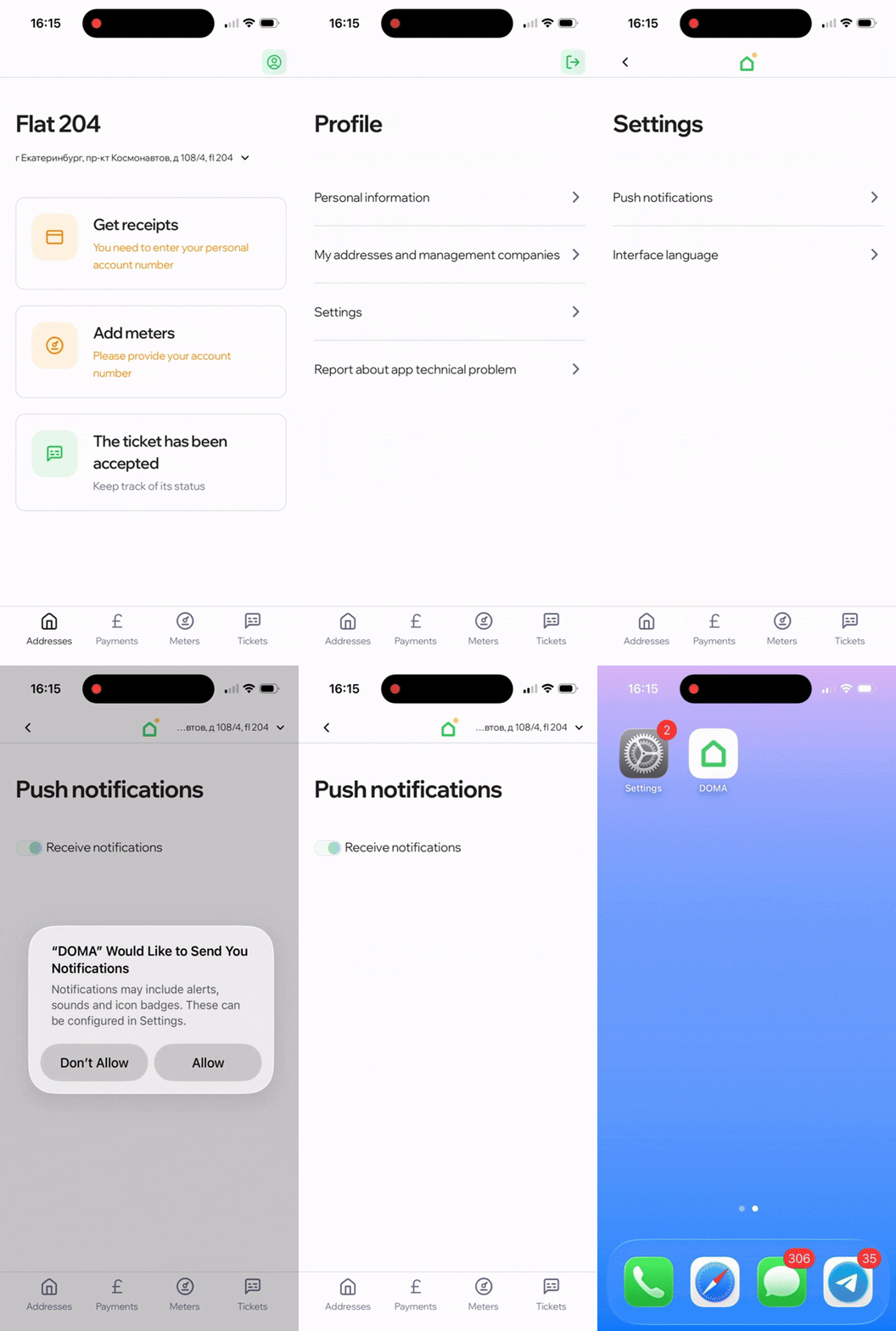
To receive notifications, including those from smart home services, follow these steps:
- Go to «Profile» → «Settings» → «Push notifications».
- Turn on the toggle and select «Allow».
Notifications from smart home services are available only to residents whose property management company has enabled these features in the app.
Didn’t find the answer to your question?
Write to us — we’ll be happy to help. Tap the «Profile» icon in the top right corner of the screen and select «Report a technical issue in the app». Or email us at helpmobile@doma.ai.