How to use Doma on iOS?
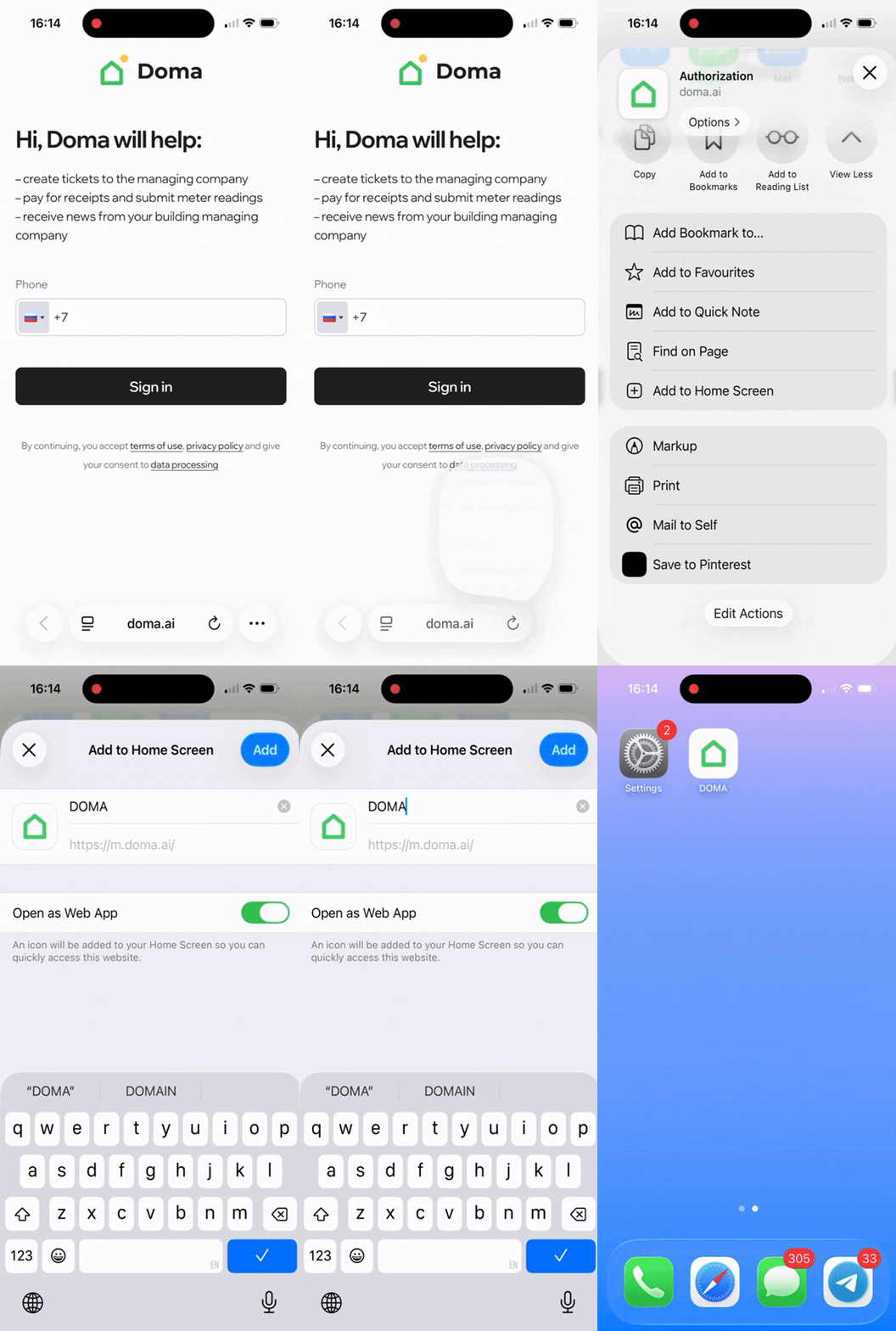
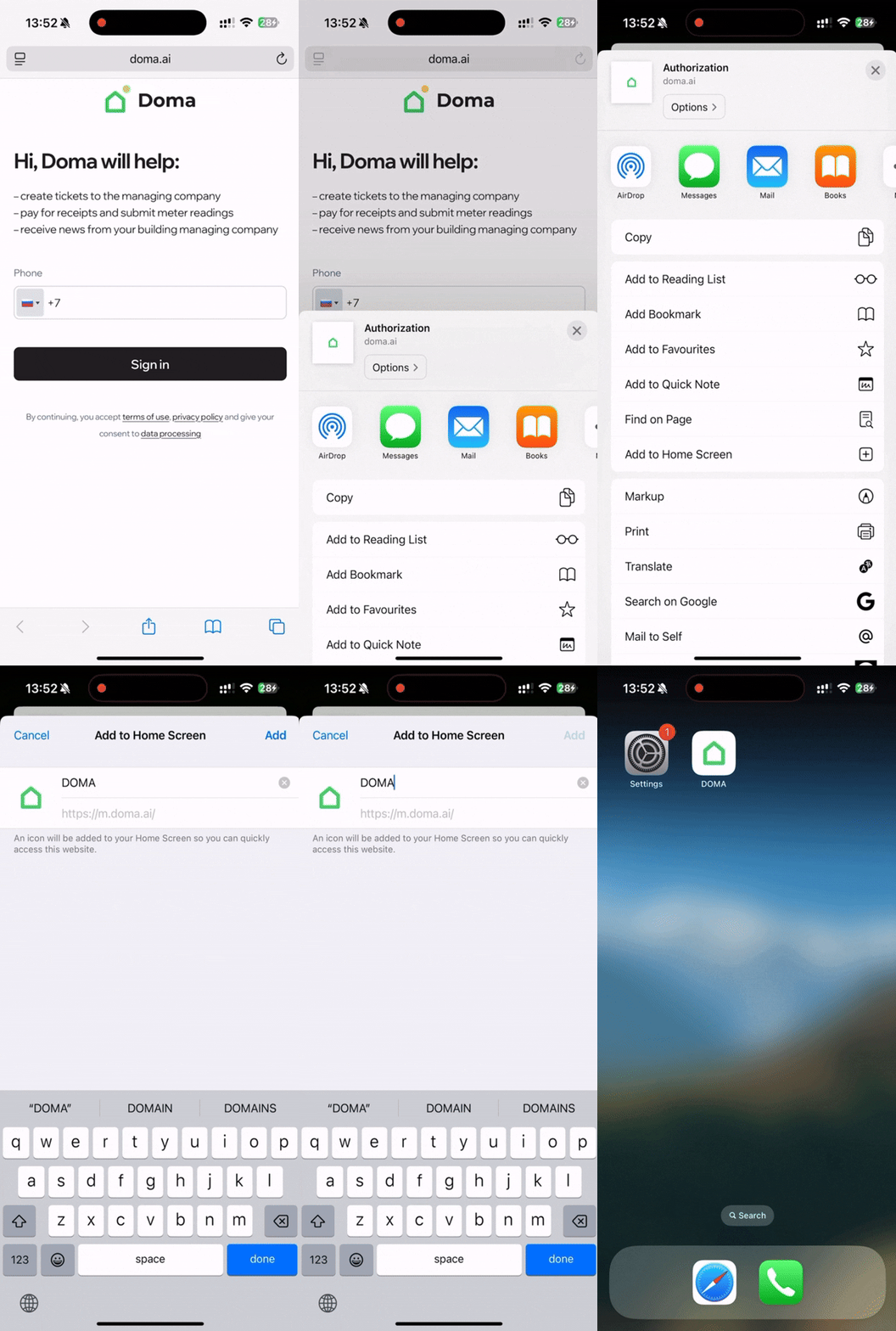
To get started add a shortcut to m.doma.ai to your home screen using the «Share» function:
- For iOS 26 and later: tap the three dots in the bottom right corner → select «Share» → «Add to Home Screen» → «Add».
- For iOS versions earlier than 26: tap the «Share» icon at the bottom of the screen → select «Add to Home Screen» → «Add».
Enable notifications in your profile.
Smart home service notifications are available only to residents whose management company has enabled this feature in the app.
To do this:
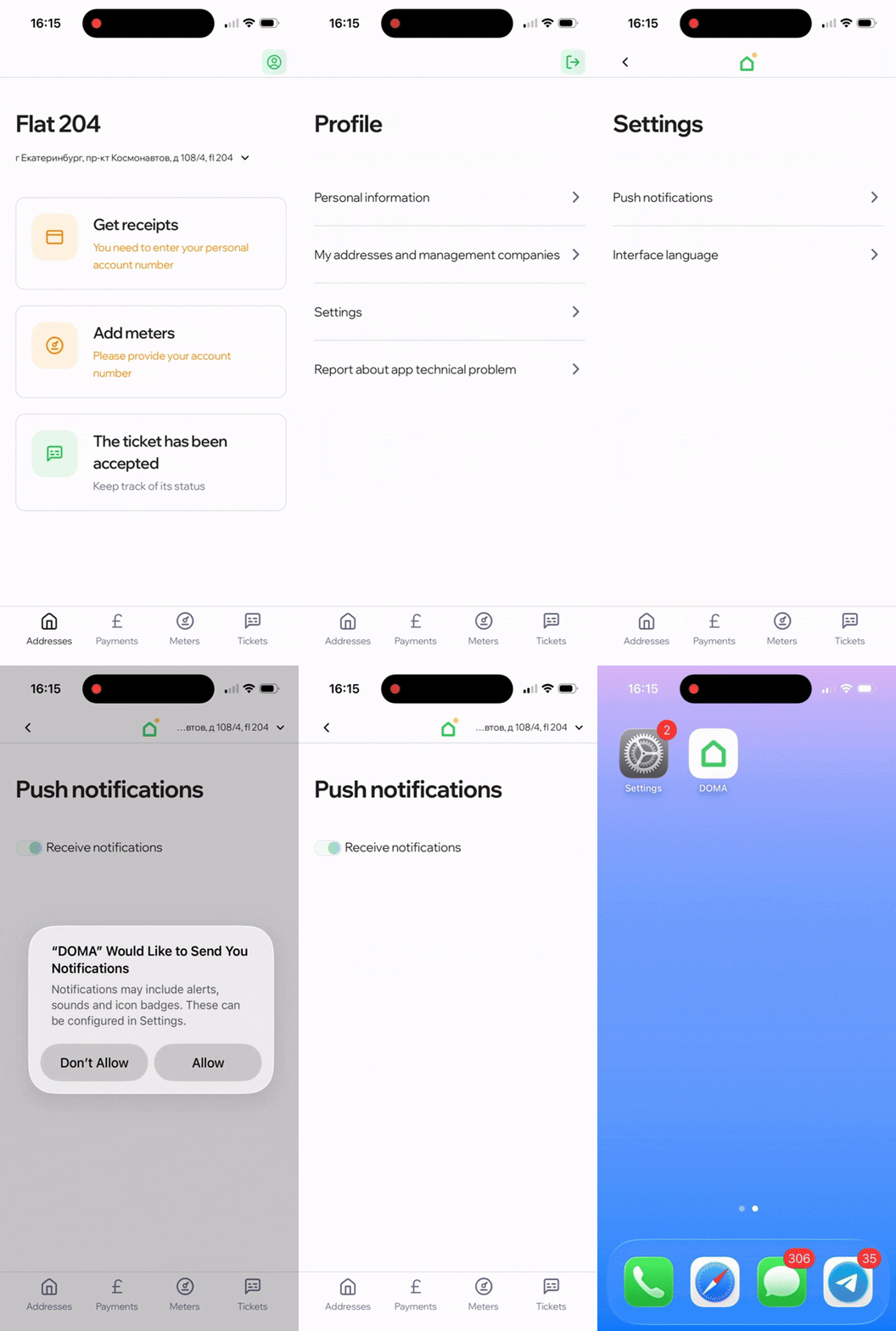
- Tap the website shortcut on your home screen.
- Go to «Profile» → «Settings» → «Push notifications» and turn on «Allow».
Didn’t find the answer to your question?
Write to us — we’ll be happy to help. Tap the «Profile» icon in the top right corner of the screen and select «Report a technical issue in the app». Or email us at helpmobile@doma.ai.