How to receive notifications on Android from the web version of the app?
You can receive notifications from the web version of the app, including from smart home services.
Notifications from smart home services are available only to residents whose property management company has enabled this feature in the app.
To set them up, follow these steps:
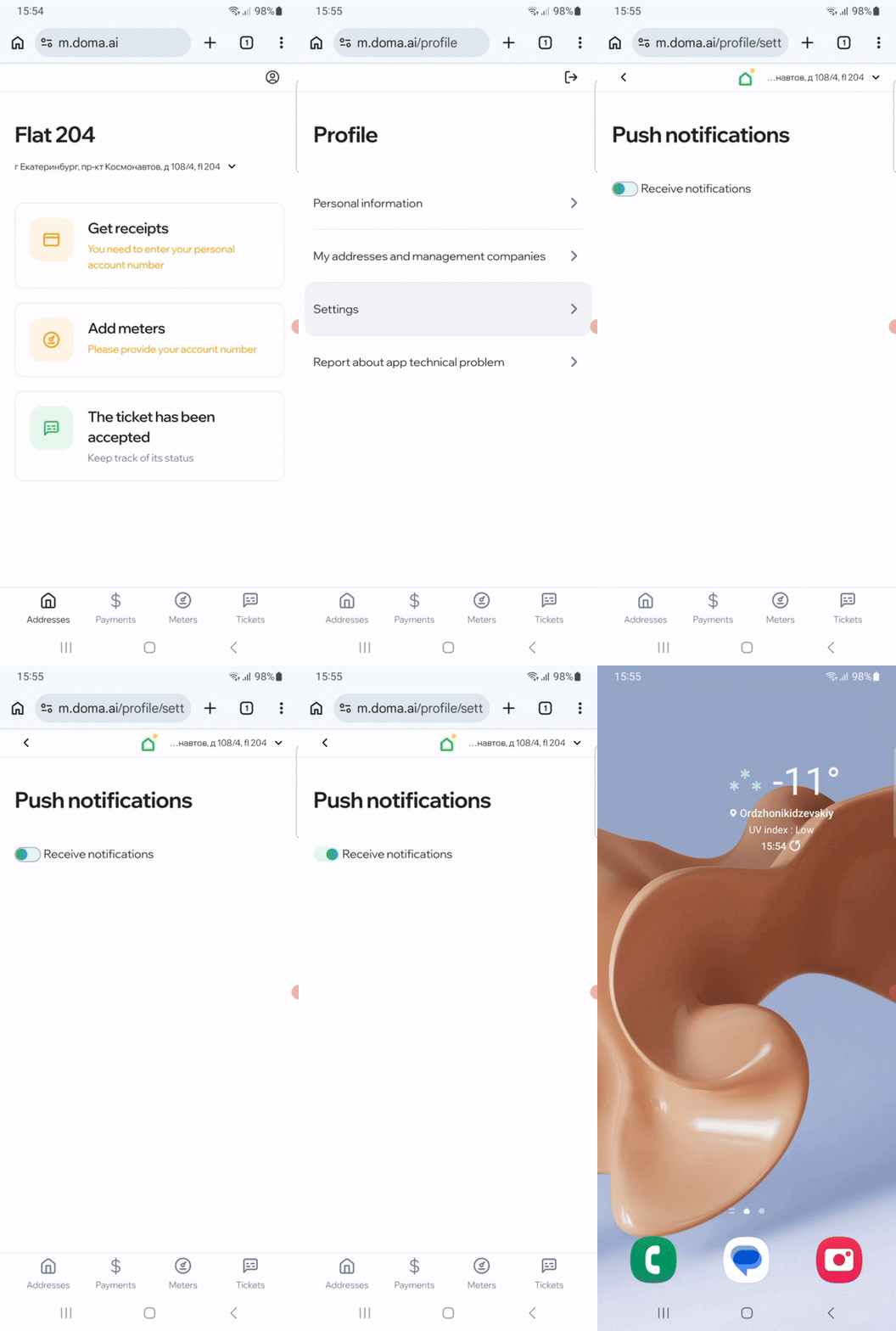
1. Enable notifications in your profile:
- Go to «Profile» → «Settings» → «Push Notifications».
- Turn on the toggle and allow notifications.
2. Enable browser notifications:
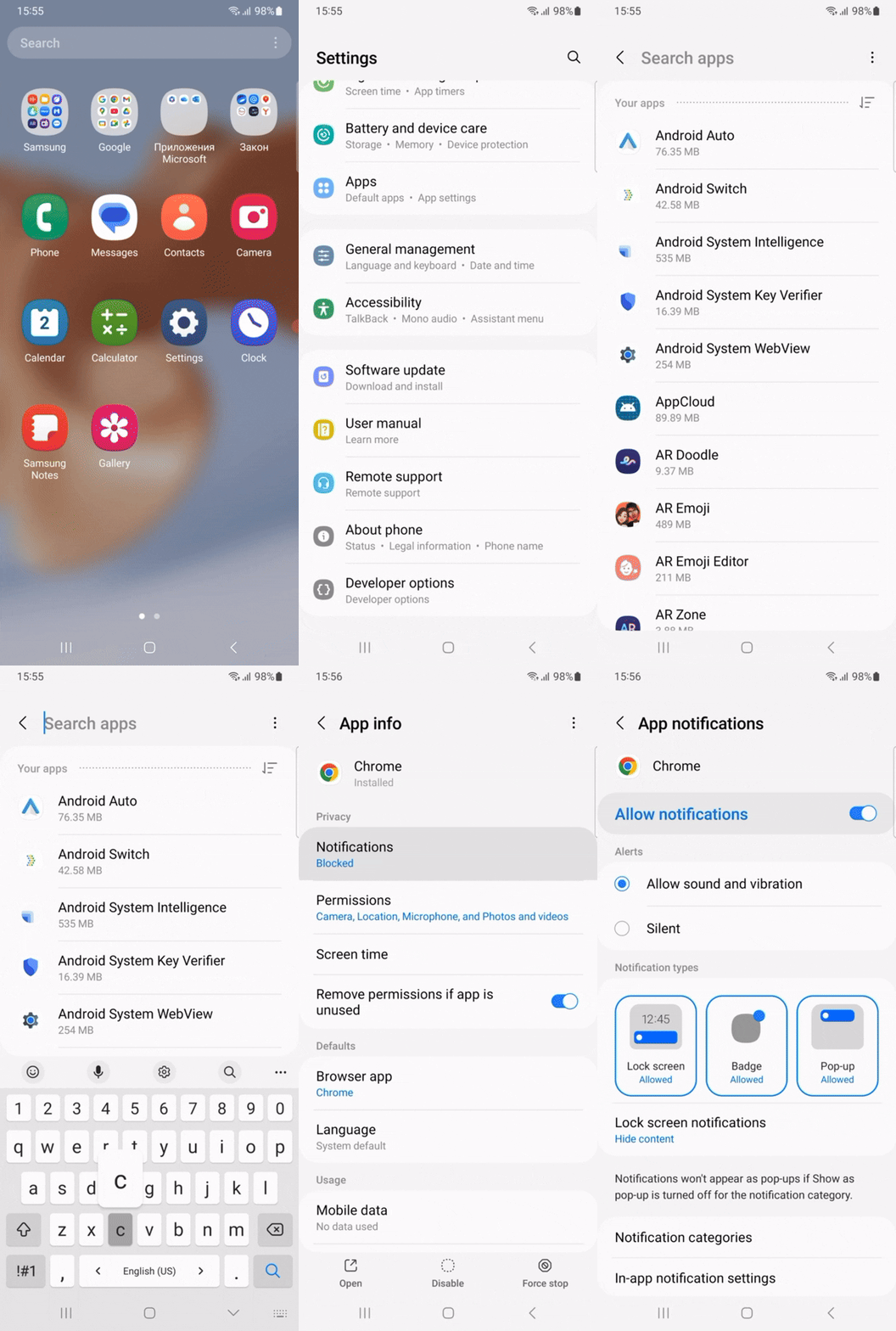
- Open «Settings» on your phone → select «Apps» and find the browser you use to open the website (for example, Chrome).
- Go to «Notifications» and make sure they are allowed.
For quick access to your personal account, you can add the DOMA icon to your home screen:
- Tap the three dots in the top right or bottom corner → select «Add to Home screen» or «Add shortcut to Home screen» → «Install».
- Confirm the action — the icon will appear on your Home screen.
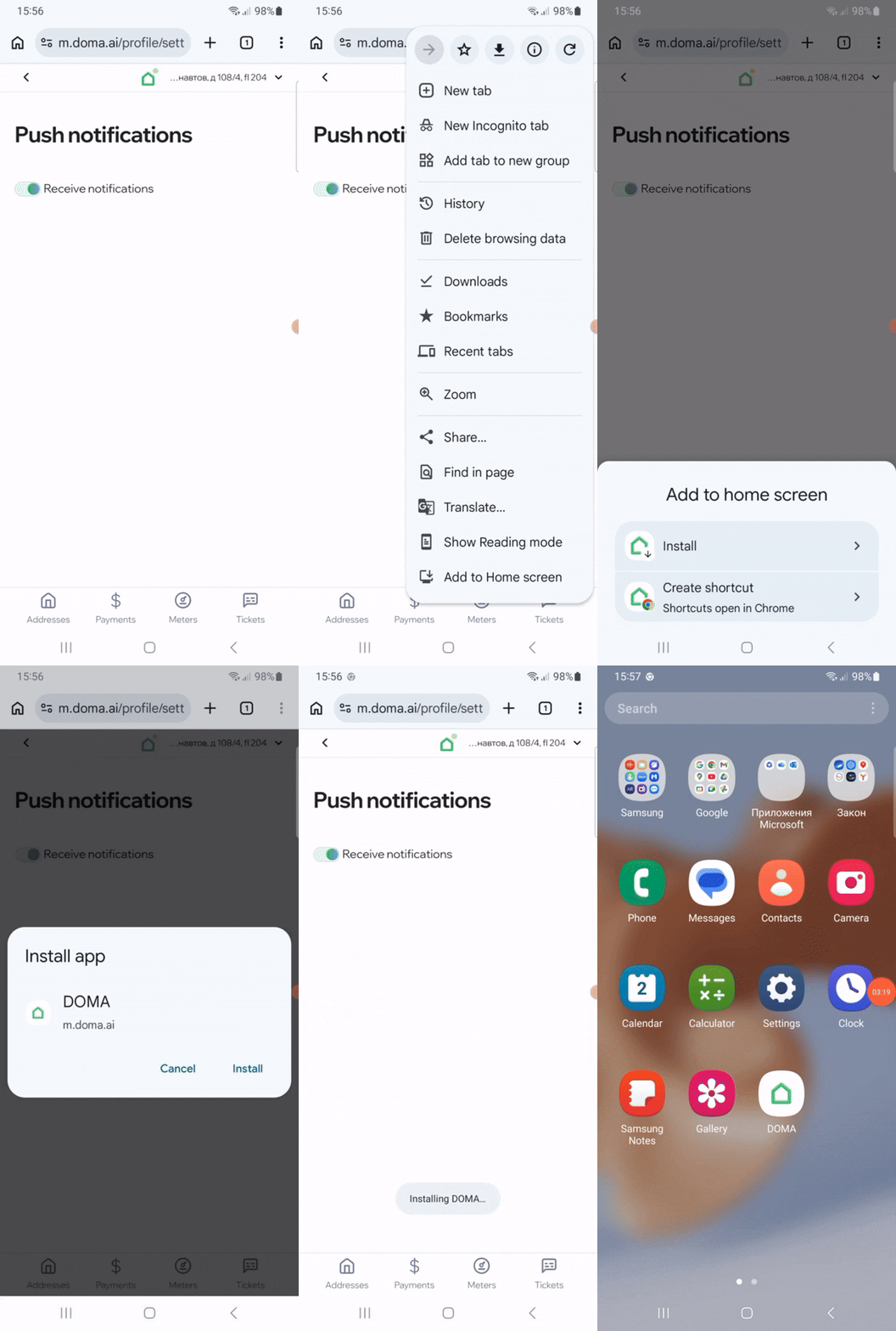
Now the website is always just one tap away.
Didn’t find the answer to your question?
Write to us — we’ll be happy to help. Tap the «Profile» icon in the top right corner of the screen and select «Report a technical issue in the app». Or email us at helpmobile@doma.ai.